rooomAssistant · Video avatars from Jena, Germany
One photo. Twenty seconds of voice. Your avatar speaks.
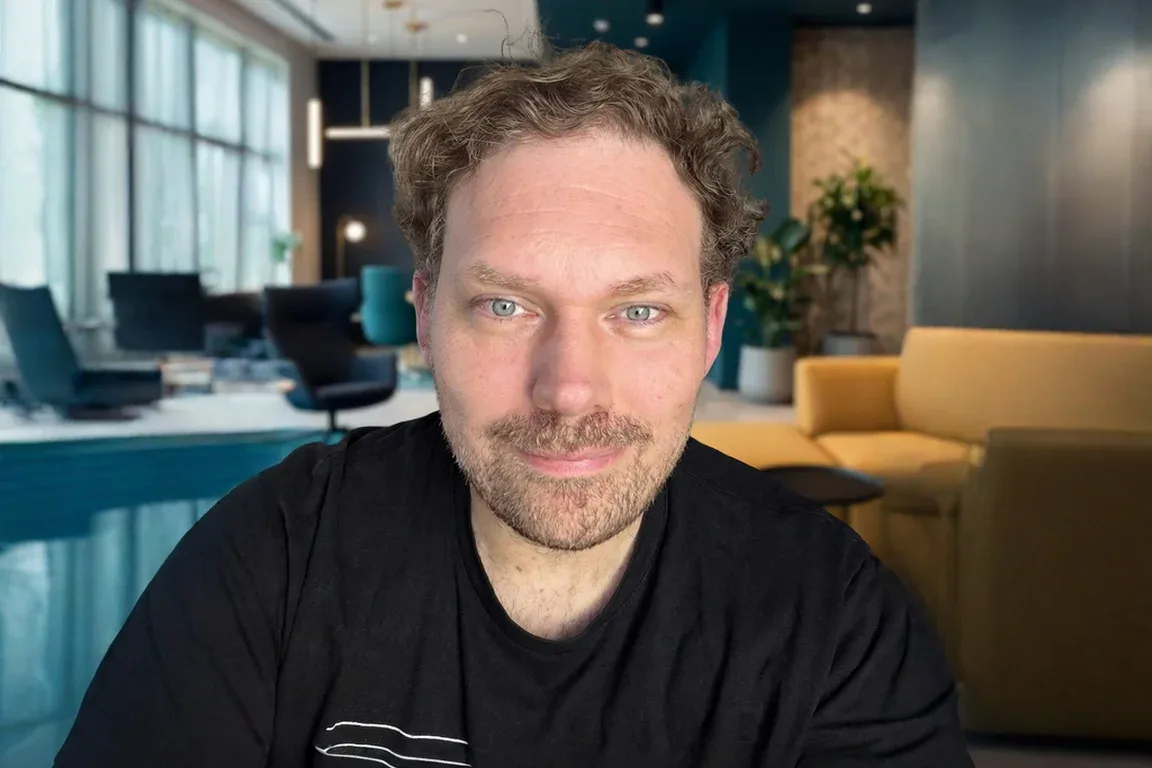
AI · Video avatar
Still of the avatar
rooomAssistant turns them into a video avatar that advises, trains, takes enquiries and looks at your screen if you want it to – on your website, in your software, at your trade-fair stand. Try it: our live video avatar is ready to talk to you.
One click connects the avatar – with sound. Your browser will then ask for microphone access. You are talking to an AI. Privacy
The avatar is in high demand right now.
The picture isn’t coming through at the moment. Please try again shortly – or talk to a person from our team in a meeting.
There have already been quite a few conversations today.
So that as many visitors as possible can try the avatar, the number of conversations per browser and day is limited. We’re happy to show you more in a meeting.
Time’s up. Thank you!
So that as many visitors as possible can try the avatar, the conversation time is limited. We’ll gladly show you your own avatar in a meeting.
Three ways into rooomAssistant
-
For your company
See use casesAn avatar for your website, training or service – from a ready-made template or with your own face.
-
For agencies and IT integrators
Explore the partner programmeOffer video avatars to your clients: as a referral, as a reseller or in your own projects.
-
For software vendors
Explore the APIBuild video avatars into your own product via the API.
01·Who we are
Not an experiment. rooom AG from Jena, Germany.
For more than ten years, rooom AG has been building software for 3D, AR and AI in Jena: virtual spaces, 3D products, online events, scans – and now video avatars that we run ourselves. Your contracting party is based in Germany.
More about rooom AG on rooom.com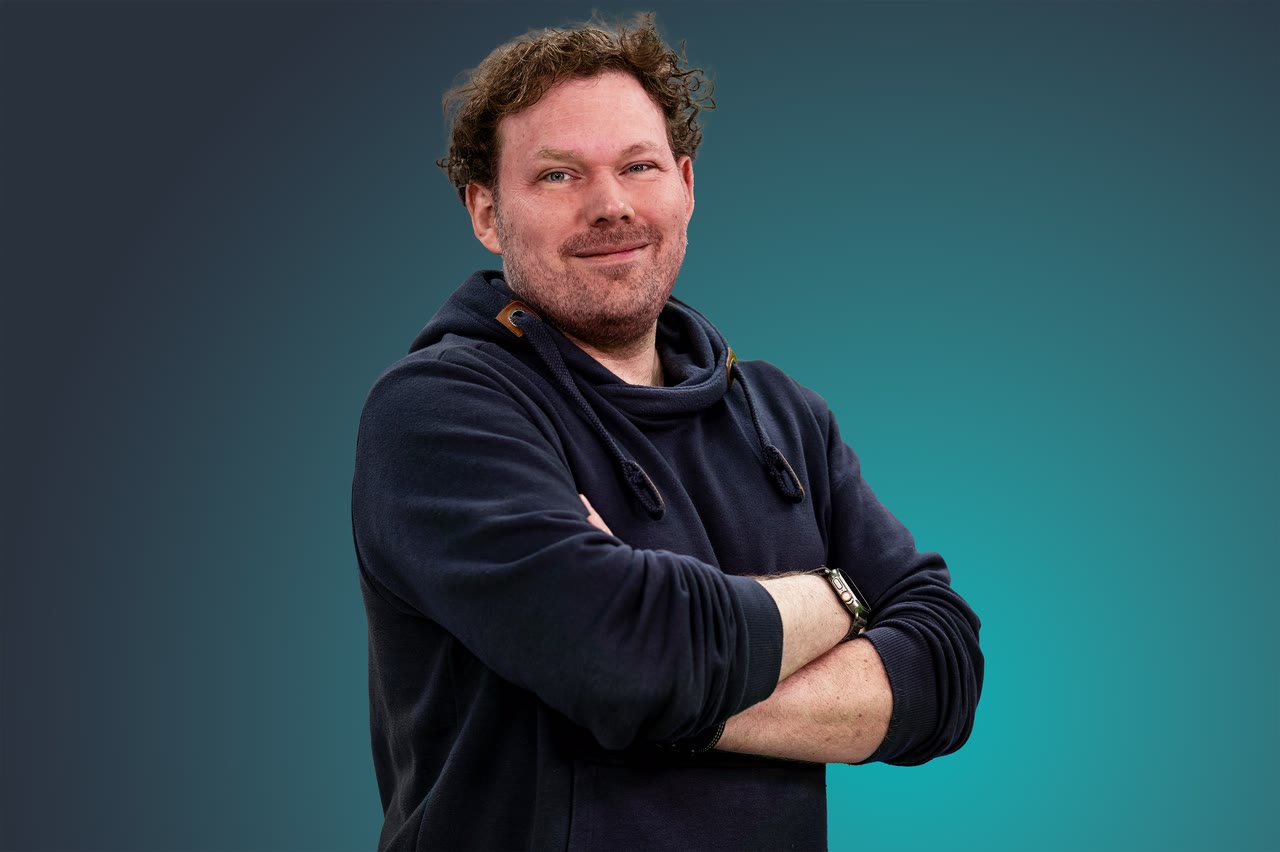
- Headquarters
- Jena, Thuringia
- On the market
- for more than 10 years
- Platform
- 310,000+ users from 120+ countries
- Awards
- 25+, three German Innovation Awards
Customers of rooom AG













Customers of rooom AG across all business areas. We show rooomAssistant projects anonymised.
02·How it works
No film shoot. No model training. Three steps.
-
Upload a photo
A portrait with shoulders is enough. Or pick one of our ready-made faces.
-
Speak for twenty seconds
About 20 seconds of recording become your voice. Only with your consent, deletable at any time.
-
Give it a role and knowledge
Advisor, sales, support, trainer, onboarding, examiner or your own role. It draws its knowledge from your documents and your website.
Your cloned voice speaks German and English. In some other languages the avatar uses a ready-made voice.
03·Templates and roles
Six roles, ready-made faces – or your own.
Every template comes with conversation logic, greeting and guardrails. You adapt the knowledge and the tone; the rest is ready.
-
01 Trainer
How does your team rehearse the tough customer conversation before it counts?
Role-play with objectionsFeedback from the transcript, no gradesRepeat as often as needed
Discuss this template -
02 Advisor
Who answers questions about your product at 10 pm?
Answers from your documentsNames the sourceSays when it doesn’t know
Discuss this template -
03 Onboarding
How does a new colleague find her way in week one?
Explains terms and processesPractice cases step by step (beta)In her language
Discuss this template -
04 Sales
How does a website visit turn into a conversation?
Advises on your websiteSuggests the contact formNothing is sent without confirmation
Discuss this template -
05 Support
What if the customer could show you where they’re stuck?
A screenshot instead of a long descriptionPre-redaction in the browserHandover to your team
Discuss this template -
06 Examiner
How do you test knowledge fairly – in conversation rather than on a form?
Professional discussion on equal termsAssessment with gaps clearly markedTranscript for trainers
Discuss this template -
+ Your own role
Describe who it should be. We’ll set up the rest with you.
Discuss your role
Partners copy templates into their own workspace and adapt them for their clients. Partner programme
04·What it does
It doesn’t just talk. It gets work done.
01
How does it know that?
From your documents and your website. Citing the source.
Limit It is told not to make things up but to ask. A language model can still make mistakes – that’s why it names the source.
02
How do you rehearse a difficult conversation before it counts?
With a partner who never gets tired. Afterwards you get feedback from the transcript – what was covered and what was missing, without a grade.
Limit No grades, no emotion detection. Practice mode for onboarding is in beta.
03
What if a conversation turns into an enquiry?
The avatar suggests the contact form and fills in what was said. You press Send yourself.
Limit No enquiry is sent without confirmation. Handover by e-mail, from Business also by webhook.
04
Can it see where you’re stuck?
Yes, if you want it to: you show it a picture of your screen, it explains what you are looking at and guides you on step by step – with a new picture for each step. On a computer, this also works from the small window above your programs.
Limit A still image, not a recording. Pre-redaction in the browser covers names and numbers – not always completely, and never photos or faces. That’s why you release every image yourself.
05
What if you want it right next to your work?
As a small window that stays on top of everything else.
Limit On desktop in Chrome and Edge, not inside embedded pages.
And also
-
06 Product in 3D
Can it show what it’s talking about?
It turns your product in 3D to the right part – in AR on your phone if you like.
Limit You bring your 3D model or have us create it.
-
07 Two avatars
Can two avatars work together?
One hands over to the other, and neither repeats what has already been said.
Limit You decide during setup who takes over when. At the switch, the second avatar needs a moment before it speaks.
-
08 Switching languages
Does it speak your language?
German, English and other languages; German, English, Spanish and French can also be switched mid-conversation. For each language you can see where speech recognition and voice output are processed.
Limit Where a language would be processed outside the EU, it only runs after your explicit confirmation. In some languages the avatar uses a ready-made voice. For now, only the 3D or voice avatar speaks Russian.
05·In use
In use and in the making. Shown without names.
Our clients don’t always talk about their projects in public.
- Live – in use with the client
- Pilot – being built or trialled with the client
- Demo – built by us, not yet in use with a client
10 use cases
-
The product that explains itself
“How do I use and care for this properly?”
Live
Challenge and solution
ChallengeQuestions come up when the product is on the table at home – not during hotline opening hours.
SolutionA QR code on the packaging opens two video experts, one for use, one for care. They hand over to each other, in several languages. A pre-rendered welcome film covers the connection time.
- Two avatars with handover
- Welcome film
- Product cards
- Multilingual
- QR entry
-
The colleague who understands your screen
“What does this field mean – and where is it in the work instructions?”
Pilot
Challenge and solution
ChallengeA team across several locations works with complex specialist software and extensive work instructions.
SolutionStaff show the avatar a screenshot. It explains the screen and answers from the work instructions, citing the source, also in the staff’s own language. Names and numbers are pre-redacted in the browser first; staff release the image.
- Knowledge with sources
- Screen assistant
- Pre-redaction
- Multilingual
- Separate tenants
-
Configure by simply saying it
“I need it large, for outdoors – what fits?”
Pilot
Challenge and solution
ChallengeComplex products have hundreds of options, and customers get lost in the form.
SolutionOne spoken sentence sets several options in the real configurator at once, including the price. Embedded by widget on the software partner’s site.
- Operates other software
- Widget
- Partner integration
-
Practise with the avatar, then sit the exam
“How does the oral exam work – and what am I still missing?”
Live
Challenge and solution
ChallengeTrainees hardly have anyone to practise the oral exam with.
SolutionThe avatar conducts the professional discussion as an equal. Afterwards there’s feedback from the transcript: what was covered and what wasn’t, without a grade.
- Examiner role
- Feedback, not grades
- Transcript export
-
Explain on the website, take the enquiry
“Which size fits – and when will it arrive?”
Live
Challenge and solution
ChallengeVisitors have questions about sizes, delivery times and prices and leave before filling in a form.
SolutionThe avatar explains the product in conversation and suggests the contact form, already filled with what the visitor said. It’s only sent once the visitor confirms. The enquiry goes to your team by e-mail, from Business also to the CRM by webhook.
- Enquiry from the conversation
- Handover by e-mail
- Website widget
-
Describe the fault, see the part
“Which part is this – and where is it?”
Demo
Challenge and solution
ChallengeService technicians can’t find the right spare part fast enough; the manuals run to hundreds of pages.
SolutionThe technician describes the fault. The avatar names the part, the 3D view moves to it, hides the rest and shows it exploded – in AR on the phone if needed.
- Avatar drives 3D
- Exploded view
- AR
- Topic guardrails
-
When your most experienced person retires
“What does our best salesperson know that isn’t written down anywhere?”
Demo
Challenge and solution
ChallengeKnow-how lives in people’s heads and leaves when they retire.
SolutionThe avatar interviews the expert and asks follow-up questions. The result is a knowledge document in which every statement is backed by a verbatim quote. Anything that shouldn’t be written down is left out.
- Knowledge interview
- Verbatim evidence
- Password protection
- Deletion period
-
The host at the trade-fair stand
“What does this stand show – and where do I start?”
Live
Challenge and solution
ChallengeHundreds of visitors come on a trade-fair day, and the stand staff can’t explain the same thing to everyone.
SolutionAn HD avatar welcomes visitors and explains the offering and product documentation. For the fair day we reserve computing capacity in advance.
- HD image
- Reserved capacity
- Product docs as knowledge
- Embedding
-
Rehearse the client meeting before it counts
“How will the client react when I bring up the price increase?”
Pilot
Challenge and solution
ChallengeImportant conversations are hard to practise realistically, and colleagues have no time for role-plays.
SolutionThe avatar plays the other side, with objections and follow-up questions, as often as needed. Access is protected; the transcript is there for the debrief.
- Conversation simulation
- Roles
- Transcript
- Access control
-
The sales assistant that sticks to its sources
“Can I rely on what it says?”
Demo
Challenge and solution
ChallengeA sales avatar must not make things up, not even on technical questions.
SolutionIts knowledge comes only from the company’s public sources. Before launch we checked its statements against those sources and corrected the most important discrepancies. A language model can make mistakes – so it names its source and refers technical questions to your team. With a contact button, multilingual.
- Fact-checking
- Public knowledge
- Enquiry from the conversation
- Multilingual
06·Partner programme
You have the clients. We have the avatars.
For agencies, IT integrators, exhibition builders and software vendors: refer us, resell rooomAssistant or build it into your product via the API – with avatars kept separate per client and our team in Jena at your side on the first project.
-
Refer
You introduce, we sign the contract and support the client. You earn a commission.
-
Resell
You buy at partner terms and sell at your own prices.
-
Integrate
Avatars in your software via the partner API, kept separate per client.
-
Your own branding
How far your own branding goes, we agree together. Scope by agreement.
Terms discussed in person, depending on volume and form of partnership.
07·Integrate
One line of code. Or a whole platform.
-
Website widget in several formats – from a small circle to a sidebar. At rest the face moves without starting a conversation.
-
Share by link, with expiry date and (from Pro) password – also as a QR code on a product, poster or trade-fair wall.
-
Partner API: create avatars, set face and voice, share links, start sessions, fetch usage, transcripts and enquiries.
-
Webhooks on new enquiries and conversation end, signed with HMAC-SHA256 – for CRM and automation.
-
Control channel for your own interfaces: start, stop, microphone, sound, state.
Website
<script
  src="https://assistant.rooom.ai/widget.js"
  data-rooom-share="YOUR-SHARE-ID"
  async></script>
API
# 1 · Create an avatar
curl -X POST https://assistant.rooom.ai/api/v1/avatars \
  -H "Authorization: Bearer $ROOOM_API_KEY" \
  -H "Content-Type: application/json" \
  -d '{
    "name": "Support Bot",
    "description": "Front-desk assistant",
    "provider": "video",
    "language": "en"
  }'

# 2 · Get the share link and widget snippet
curl -X POST https://assistant.rooom.ai/api/v1/avatars/$AVATAR_ID/share \
  -H "Authorization: Bearer $ROOOM_API_KEY" \
  -H "Content-Type: application/json" \
  -d '{
    "expires_at": "2026-12-31T23:59:59.000Z",
    "password": "hunter2"
  }'
Webhook
# Your server receives this for every new enquiry:
POST /your-webhook
Content-Type: application/json
X-Arai-Event: lead.created
X-Arai-Event-Id: 5d1c2f0e-8a7b-4c3d-9e6f-1a2b3c4d5e6f
X-Arai-Signature: t=1759569405,v1=5257a869e7ecebeda32affa62cdca3fa51cad7e77a0e56ff536d0ce8e108d8bd
# Verify the signature: HMAC-SHA256(secret, "<t>.<raw body>")

{
  "id": "5d1c2f0e-8a7b-4c3d-9e6f-1a2b3c4d5e6f",
  "type": "lead.created",
  "apiVersion": "2026-10-04",
  "createdAt": "2026-11-06T10:15:00.000Z",
  "data": {
    "lead": {
      "id": "9b2e7c41-3f6a-4d8e-b1c5-7a0d2e9f4b36",
      "avatarId": "av_7Kq2mX",
      "avatarName": "Support Bot",
      "createdAt": "2026-11-06T10:15:00.000Z",
      "language": "de",
      "name": "Jane Example",
      "email": "jane.example@example.com",
      "fields": {},
      "summary": "Would like a demo for the sales team.",
      "source": "tool",
      "consent": {
        "version": "sha256:…",
        "at": "2026-11-06T10:15:00.000Z"
      }
    }
  }
}
08·Management and control
Enter your website, pick a role – we build the draft.
You land in the form below with website and role already filled in.
You tell us your website and the role you want.
We turn it into a draft: personality, greeting and knowledge from your website, with a template as its face.
In the meeting you talk to your draft.
Or do it yourself in the admin: enter website and role – personality, greeting and guardrails are generated automatically, and you choose face and voice.
And afterwards you’re in control.
Conversation transcripts from Pro, with export (Markdown, CSV) and configurable retention – or storage switched off.
Analytics: views, conversations, minutes, most-used avatars.
Roles and tenants: admin, manager, user; separate areas per client; audit extract on request.
Guardrails: a fixed topic boundary and protection against manipulation; your own topic fence from Pro.
Privacy tools: deletion of face and voice at the click of a button; full data export on request.
Keep knowledge current: re-import website and documents whenever you like.
09·Security and sovereignty
Developed in Germany. Operated in Europe.
Developed and operated by rooom AG in Germany. Computing happens in European data centres, and the language AI comes from Europe. Where that isn’t the case, we tell you.
-
Developed in Jena
Video pipeline, conversation control, admin and API are developed in-house by rooom AG. The image model is based on an open-source foundation that we run and develop further ourselves.
-
Data centres in Europe
The video image is rendered on GPUs in data centres in the EU and the European Economic Area. Our server functions run in Frankfurt am Main.
-
Language AI from Europe
For the video avatar, listening, answering and – in most languages – speaking are handled by the language AI of Mistral AI in Paris, via its EU endpoint.
-
ISO/IEC 27001:2022
rooom AG is certified to ISO/IEC 27001:2022. Certificate DE-IS-20260205, valid until 22 Jan 2029.
View certificate (PDF) -
Your data, your rules
You decide whether conversations are stored and for how long. For the voice we obtain explicit consent; faces of real people only with their consent. Deletion of face and voice at the click of a button, data export on request. For every language you can see where it is processed. Data processing agreement under Art. 28 GDPR on request. You can label every avatar as AI – we recommend it, and ours does.
Data flow as text
- Your device (Microphone, picture)
- Transmission: global network
- GPUs in Europe (Picture, conversation control)
- Language AI, EU endpoint (Mistral AI, Paris)
- Servers in Frankfurt (Admin, API)
Exceptions:
- Helper functions outside the EU · can be switched off
- Polish, Finnish, Lithuanian · only with your confirmation
- 3D and voice avatar: language model and voice outside the EU
10·Pricing
The more you talk, the less each minute costs.
One currency for everything: conversation minutes. A minute with the video avatar counts as one, with the 3D or voice avatar as a quarter – so 250 minutes are also 1,000 minutes of 3D. HD counts three times. Prices net per month, 15% less when paid annually.
In every package: developed in Germany, operated in Europe · video avatar with language AI from the EU · data processing agreement
-
Starter
Your first avatar
€99 / month
- Conversation minutes included
- 250
- ≙ 1,000 minutes with a 3D or voice avatar
- works out per minute
- €0.40
- each additional minute
- €0.39
- Avatars
- 1
The basis
- Video avatar from photo and voice, or a ready-made face
- 3D and voice avatar
- Role templates and a draft from your website
- Link, embedding and website widget
- Basic protection with a fixed topic boundary
- German and English
-
Pro
Winning enquiries
€499 / month
As soon as your avatar should bring in enquiries, you need Pro: it spots prospects in the conversation, pre-fills the form, records every conversation and follows your own rules.
- Conversation minutes included
- 1,500
- ≙ 6,000 minutes with a 3D or voice avatar
- works out per minute
- €0.33
- each additional minute
- €0.32
- Avatars
- 3
Everything in Starter, plus
- Enquiries from the conversation
- Conversation transcripts with export
- Knowledge base with sources
- Your own security rules
- Screen assistant
- More languages and HD video
-
Business
Train, assess, integrate
Price on request
As soon as it should train, assess or write into your systems, you need Business: trainer and examiner with feedback, API and webhooks into your CRM, multiple users with permissions.
- Conversation minutes included
- 6,000
- ≙ 24,000 minutes with a 3D or voice avatar
- Avatars
- 10
Everything in Pro, plus
- Training and assessment with feedback
- Partner API and webhooks
- Roles, permissions and audit extract on request
- Welcome film and desktop window
- Two campaign days a month with reserved capacity
-
Enterprise
Corporations and public bodies
Price on request
As soon as it must never keep anyone waiting and has to pass your procurement and IT: reserved capacity, service level, your own DPA with audit.
- Conversation minutes included
- by agreement
- Avatars
- as needed
Everything in Business, plus
- Permanently reserved capacity
- Service level
- Your own DPA with audit right
- Custom voices and bodies
Compare all features
| Feature | Starter | Pro | Business | Enterprise |
|---|---|---|---|---|
| Your own video avatar from a photo and about 20 seconds of voice, or a ready-made face | included | included | included | included |
| 3D avatar and voice avatar | included | included | included | included |
| 6 role templates, prompt builder, draft from your website | included | included | included | included |
| Link, embedding, website widget | included | included | included | included |
| Basic protection: fixed topic boundary, protection against prompt tricks | included | included | included | included |
| Languages | German and English | German, English and more; switch mid-conversation in German, English, Spanish, French | as Pro | as Pro |
| Picture quality | Standard | Standard and HD (counts 3×) | as Pro | as Pro |
| Knowledge | Basic knowledge and up to 20 pages of documents | Knowledge base with sources | as Pro | as Pro |
| Your own security rules: your own prohibitions, your own topic fence, check words | not included | included | included | included |
| Enquiries from the conversation: spot prospects, pre-fill the form, hand over to a person | not included | included | included | included |
| Conversation transcripts with export and forwarding by e-mail | figures only: views, minutes | included | included | included |
| Screen assistant with pre-redaction in the browser | not included | included | included | included |
| Password protection, preset questions, custom greeting | not included | included | included | included |
| Training and assessment: trainer and examiner roles with role swap, practice mode (beta), feedback after the conversation – no grade | not included | not included | included | included |
| Partner API, webhooks into your CRM | not included | not included | included | included |
| Users, roles and permissions | 1 user | 3 users | Roles, permissions, audit extract on request | as Business |
| Welcome and farewell film, pre-rendered | not included | not included | 1 per language | included |
| Desktop window: the avatar above all your programs | not included | not included | included | included |
| Product view: 3D viewer next to the avatar | not included | not included | included | included |
| Campaign days with reserved capacity in standard video, 8 am – 8 pm | not included | not included | 2 days a month | permanent |
| Reserved capacity, service level, your own DPA with audit right | not included | not included | not included | included |
| Custom voices and bodies, handover between several avatars | not included | not included | not included | included |
| Speech recognition on a dedicated GPU, choice of language model, private cloud on request | not included | not included | not included | included |
| Data processing agreement (standard) · developed in Germany, operated in Europe | included | included | included | included |
The tiers apply by contract; page and user numbers are set when we set you up. Practice mode is in beta. Pre-redaction doesn’t always catch everything – you release every image yourself. Reserved capacity on campaign days starts early in the morning, as long as computing power is available.
Video avatar counts 1, HD video three times, 3D and voice avatar a quarter.
From this volume Enterprise pays off – talk to us.
Prices exclude VAT. HD video from Pro, counts 3×. Setup by us on request. Additional trade-fair and campaign days with reserved capacity: on request.
Want to resell rooomAssistant to your clients? Partner terms
11·FAQ
What decision-makers ask us first.
Will my customers notice that they’re talking to an AI?
Yes, if you set it up that way – and we recommend it. On this page the notice sits right next to the avatar. We only use the faces and voices of real people with their consent.
Where are conversations processed?
The video image is rendered in data centres in the EU and the European Economic Area, the language AI comes from Mistral AI in Paris via its EU endpoint, and our server functions run in Frankfurt. Where exceptions exist, the security section lists them – openly.
How long does the roll-out take?
The avatar itself can speak as soon as photo and voice are uploaded – no model training needed. Most of the work is knowledge and role, and we set that up with you in the first meeting.
What happens if many people want to talk at once?
Conversations run on GPUs that we switch on as needed. The first conversation after a break therefore usually takes under a minute to start, and longer when demand is high. For trade-fair days and campaigns we reserve computing capacity in advance.
Do we need developers?
No. One line on your website or a link is enough. The API is there for partners and for your own products.
Can we try it first?
Talk to our live video avatar at the top of this page. We’ll build you a draft with your website and a template for the first meeting.
What happens to the photo and voice?
We use them only for your avatar. Your consent is required for the voice, and you can delete both at any time.
Can we offer this to our clients?
Yes, through our partner programme: refer us, resell, or build it into your own product via the API. More on the partner page.
12·Meeting
Show us your use case. We’ll show you your avatar.
You tell us briefly what it’s about.
We show you rooomAssistant in 30 minutes – with a draft from your website, if you like.
You test it in a pilot with your photo, your voice and your knowledge.
Prefer to get in touch directly?
- Phone
- +49 3641 5549440
- info@rooom.com